

Roles
Bundle API permissions into roles and assign them to users and groups, so applications can decide authorization by role.
Plan note: Role-based access control (RBAC) is available on the Advanced plan and above (and on Trial).
A role is a named bundle of API permissions you assign to users and groups. When a user signs in to an application and that application requests a token for an RBAC-enabled API, the platform can embed the user's roles and permissions into the token, so the application can make fine-grained authorization decisions without maintaining its own permission model.
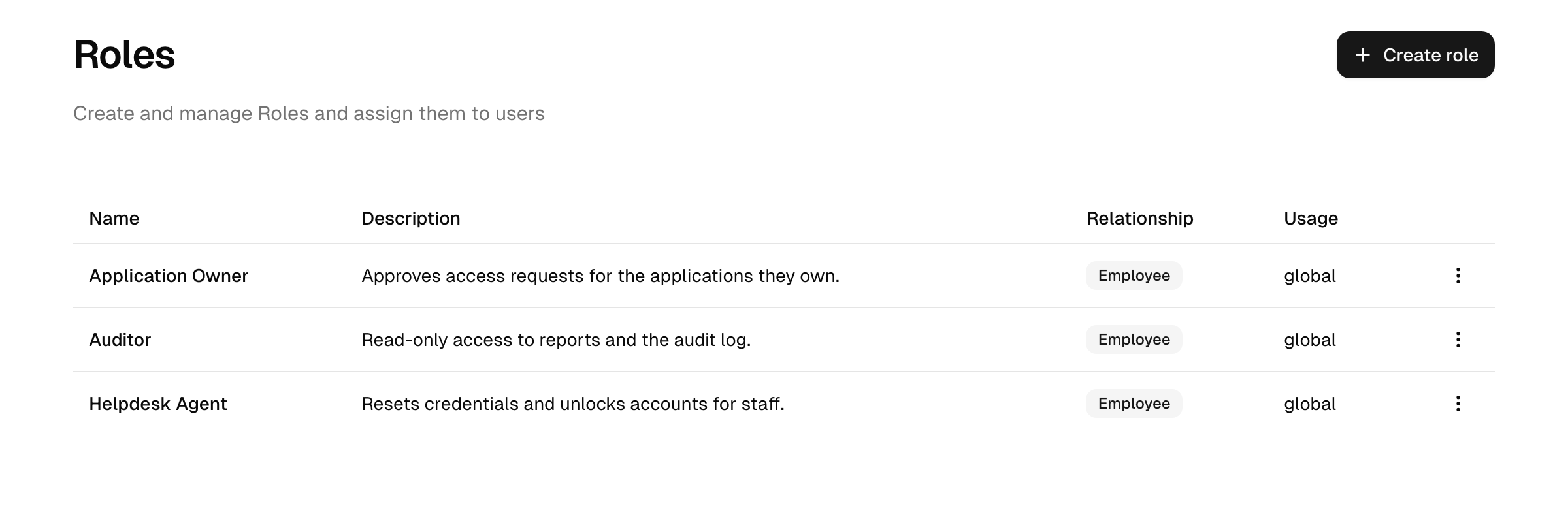
You manage roles under Integrations → Roles in the Admin Console.
Note: Delegated (developer-level) administrators manage roles through the workspaces they belong to. A role added to a workspace can be managed and assigned by members with the Manage resources permission; full administrators manage all roles as before.
Roles are about applications, not the Admin Console
It is worth being clear about what these roles do not govern. They control what a user can do inside your applications, by way of the scopes carried in API tokens. They do not control who can administer the platform — that is governed separately by the access levels you assign to your admin team in the Security area.
System and custom roles
- System roles are built in. Their name, description, and permissions are fixed; you can view them but not edit or delete them.
- Custom roles are the ones you create and govern. You set their name and description, choose their permissions, and assign them to users and groups.
Creating a role and adding permissions
- On the Roles page, choose Create role and give it a name and description.
- Open the role and go to its permissions tab.
- Choose Add permissions, pick a custom API, and select the scopes from that API to include.
- Save.
A role's permissions are always tied to a specific custom API. Only custom APIs with RBAC enabled can contribute permissions to a role — so switch on Include roles and permissions (RBAC) on the API first (see APIs). If a role holds permissions for an API that later had RBAC turned off, or whose API was deleted, those entries are flagged in the role so you can clean them up.
Note (CIAM): on deployments with the business-customer (B2B) capability, the create-role form offers an allowed relationship — choose whether the role is available for all users, customer users only, or employee users only. This selects which user population the role applies to and is fixed at creation. Without that capability a role applies to all users.
Assigning roles
Open a role and use its users tab to assign it. You can assign a role to:
To remove a role from a user, remove them from the role's users list. Deleting a custom role removes it from everyone it was assigned to.
When a user holds a role, the permissions it bundles are available to be embedded in tokens for the matching RBAC-enabled APIs.
How a permission reaches a token
The chain from defining a permission to enforcing it in your application:
- You define a permission (a scope) on an RBAC-enabled custom API.
- You bundle it into a role on the role's permissions tab.
- You assign the role to a user — directly, or via a group so every member inherits it.
- When that user signs in and an application requests a token for the API, the user's entitled permissions are resolved and can be embedded in the access token.
Whether the role names and permissions actually appear in the token is controlled per API by the roles in access token and permissions in access token options (see APIs). The trade-off:
- On — the application reads roles/permissions straight from the token, with no extra lookup. The cost is a larger token, and a token issued before a role change keeps the old claims until it expires (possible staleness).
- Off — the token stays lean; the application resolves the user's entitlements itself when it needs them, which stays current but requires a callback.
Enforce on the access token, not the ID token
An application that requests the roles scope also receives a roles claim in its ID token. Use it for presentation only: showing an admin menu entry, hiding a button. Never make an access decision on it.
The two claims are not interchangeable. The ID token proves who signed in and is addressed to the application itself; it is not meant to be forwarded to an API, and a service that accepts one as proof of entitlement is trusting a token that was never issued for it. Its roles claim is also the less precise of the two: it lists role names without reference to any API, so it cannot tell you whether a role means anything for the resource being called.
The access token is the one addressed to the API, and its claims are scoped to that API. Enforce there.
Reference
| Term | Meaning |
|---|---|
| Role | A named bundle of API permissions assigned to users and groups. |
| System role | A built-in, non-editable role. |
| Custom role | A role you create and govern. |
| Permission | A single API scope a role contributes to a user's tokens. |
See also the glossary.