

Phone (SMS)
Configure the gateway that delivers one-time codes by SMS or voice (the built-in gateway, Twilio, or a custom HTTP gateway).
Plan note: A custom SMS gateway is available on the Essential plan and above. See Plans & add-ons. On lower tiers the platform sends one-time codes through its built-in gateway.
The platform delivers one-time codes by SMS for phone-based multi-factor authentication and phone-number verification. A built-in gateway works out of the box; on the Essential plan and above you can route these messages through your own provider.
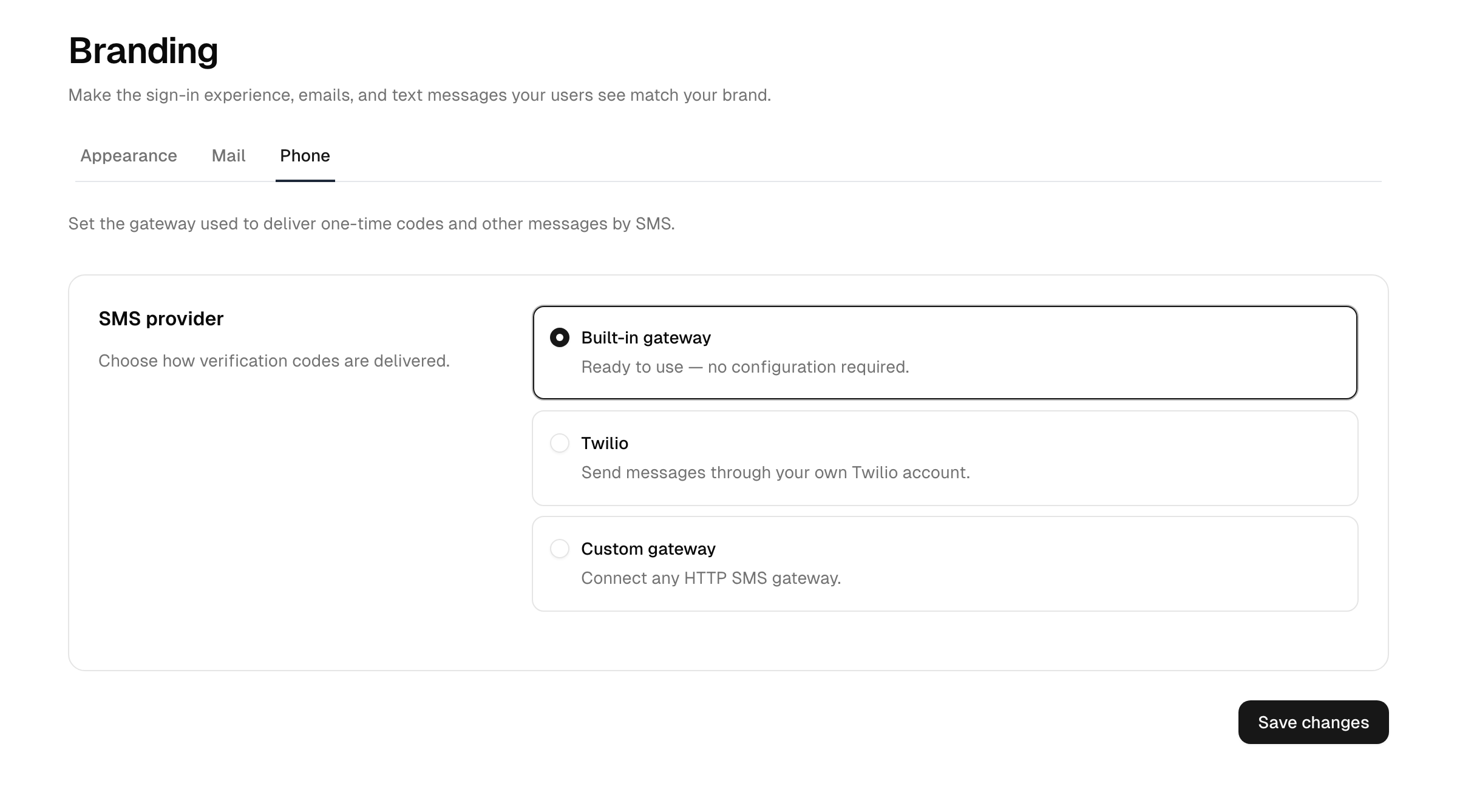
Choose a gateway
- In the Admin Console, open Branding → Phone.
- Select a provider:
- Built-in gateway — the default service. No configuration required.
- Twilio — send through your Twilio account.
- Custom gateway — send through any HTTP SMS API.
- Configure the fields for your choice (below) and select Save changes.
Twilio
Supply your Twilio Account SID and Auth Token, then choose how messages are sent:
- Sender — either a From number or a Messaging Service SID. A Messaging Service applies to text messages; voice calls always use a From number.
- Delivery methods — deliver the code as a text message (SMS), a voice call, or both.
Custom gateway
Point the platform at any HTTP SMS API:
- Gateway URL and HTTP method (GET or POST).
- For POST, a body format (JSON, form-encoded, or raw) and a request body template. For raw bodies you can set the Content-Type.
- Custom headers — one
Name: valueper line, useful for anAuthorizationheader. - Username, password, and an auth token for gateways that require them.
The URL, request body, and headers support placeholders that are substituted at send time, including the recipient number and the message text — for example https://api.example.com/send?to={{to}}&text={{message}} or a header like Authorization: Bearer {{authToken}}.
Secret fields
Sensitive values such as the Twilio Auth Token and the custom gateway password and auth token are stored securely and never pre-filled. Leave a secret field blank to keep its current value; enter a new value only when you want to change it.
Message content
The text of the code message comes from the platform's built-in, translated wording — it is not edited on this page. The body is driven by the instance's localized language strings, so the message language follows the user's (or instance's) locale rather than a per-template editor.
Abuse protection
Outbound SMS is rate-limited per user, so a single account cannot trigger an unbounded number of messages. This protects you from accidental loops and deliberate abuse that would otherwise run up delivery costs.
Troubleshooting
- Codes don't arrive — confirm the gateway credentials are correct and re-save, then re-test the flow. Remember that secret fields are intentionally blank after saving; that does not mean the value was cleared.
- Twilio voice but no number — a Messaging Service SID covers SMS only; add a From number to enable voice delivery.
- Custom gateway returns an error — check that the URL, HTTP method, body format, and placeholders match what your provider expects.