

Issues
Track recurring system anomalies (directory-sync, provisioning, and metadata failures), grouped and worked to resolution.
An issue is a recurring system anomaly the platform raised on its own: an operational failure that happens in the background and tends to repeat. Where the audit log records individual events, issues roll many occurrences of the same underlying problem into a single entry you can track to resolution, so a directory that fails to sync every hour appears as one issue with a rising occurrence count rather than dozens of scattered log lines.
You find it under Audit Trail → Issues in the Admin Console.
Think of Issues as your triage queue for things the platform noticed on its own — sync, provisioning, metadata, and capacity failures and similar repeating patterns surface here automatically, already grouped, so you work the problem rather than chase individual log lines. It pairs with the audit log: the audit log is what you search when you have a specific question ("what happened to user X?"); Issues is what you review to catch problems that are quietly recurring in the background.
What becomes an issue
Issues are raised for background operations that fail, typically:
- Directory synchronization — a sync run that failed, an upstream user-sync error, a password-sync failure, or a per-user sync problem (such as a duplicate email already in use by another user).
- Provisioning (SCIM) — failures creating, updating, deactivating, or deleting users or groups in a connected downstream application, or a connection that could not be reached.
- SAML metadata — a metadata URL that could not be refreshed, or a request that could not be parsed.
- Capacity — a device enrollment rejected because the device seat limit was reached.
Each issue carries a severity of Warning or Error, and is linked to the related object (application, directory, device, or user) where one applies.
How grouping works
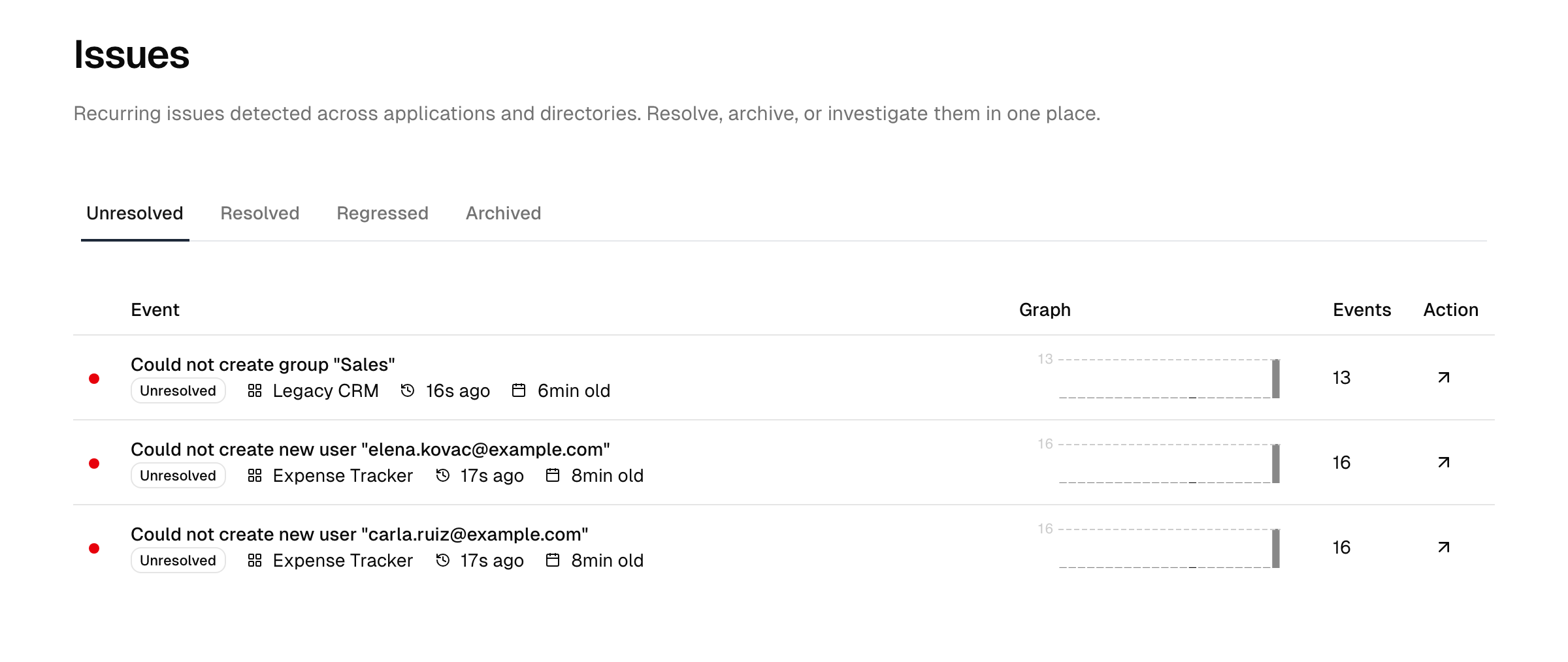
Repeated occurrences of the same root cause are folded into a single issue. Each issue tracks:
- an occurrence count — how many times the underlying event has been seen;
- a first-seen and last-seen timestamp;
- a histogram of occurrences over time, which you can view over the last 24 hours, 30 days, or 90 days — so you can tell a one-off blip from an ongoing problem at the granularity you need.
Issue states
An issue moves through these states:
| State | Meaning |
|---|---|
| Unresolved | Open and needing attention — the default for a newly raised issue. |
| Resolved | You have addressed the underlying cause and marked it done. |
| Regressed | A previously resolved issue that has started occurring again. |
| Archived | Set aside and no longer shown in the active lists. |
The view opens on the Unresolved tab and also offers Resolved, Regressed, and Archived tabs, so you can move between open work, things you have handled, problems that came back, and items you have set aside.
Working an issue
- Open Audit Trail → Issues. The Unresolved tab lists open issues, most-recently-seen first.
- Select an issue to open its detail view. You see its type, severity, related object, occurrence count, first/last-seen times, a per-issue histogram, and the full event context.
- Investigate the root cause using the context — for example, fix the directory credentials or the downstream provisioning mapping.
- Change the state — mark the issue Resolved once you have addressed it. If the same problem recurs later, it returns as Regressed so it does not get lost. A resolved or archived issue can be reopened (set back to Unresolved) from its detail page.
- Archive an issue you want out of the active lists but kept on record — use Actions → Archive on the detail page. An archived issue is hidden from the Unresolved/Resolved tabs and lives on the Archived tab; the issue and its history are retained, and you can still reopen it. Archiving is the reversible "I have triaged this, set it aside" action.
- Delete an issue only when you truly do not need it on record. Deleting removes the issue permanently — unlike archiving, there is no undo and no kept history.
Related
- Audit logs — the per-event record that issues are derived from.
- Plans & add-ons — what your tier includes.